a tiny app. a calmer desktop.go on, click the notch ↙
◈ finder file edit view go◒ ▰ mon 9:41 am
a clear screen. a clear next step.
everything else can wait a moment.
desktop 1 · workone reminder. always in sight.
click the reminder to open it. mark it done for a little celebration.
less to look at. more room to think.
a to-do list shows you everything. dwell shows you one thing.
pick a reminder. let it sit quietly above your work. finish it, take a breath, and choose what comes next.
a familiar little face
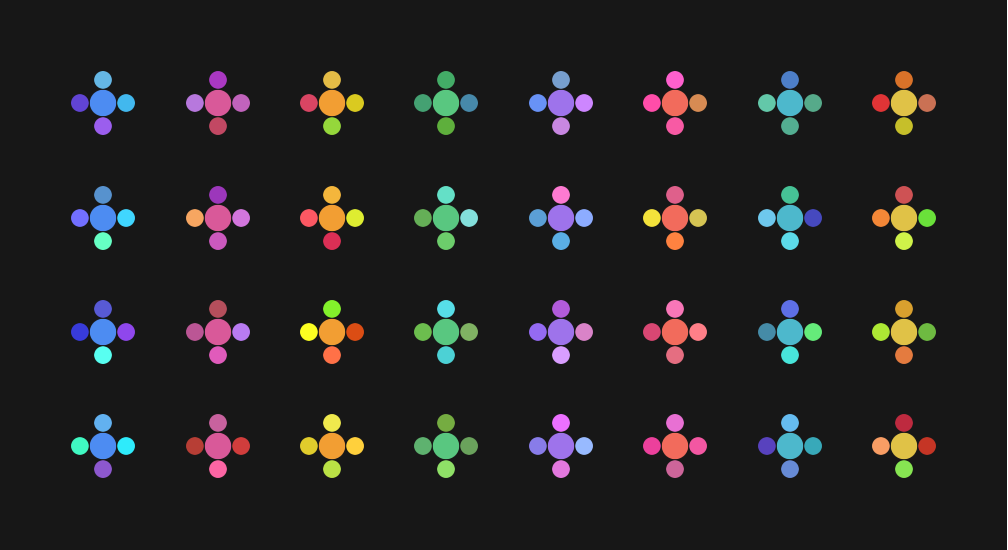
every reminder gets a flower.
your list’s colour at the centre. four petals unique to the task. the same little mark, wherever you meet it.
same reminder. same flower. every time.
already part of your day
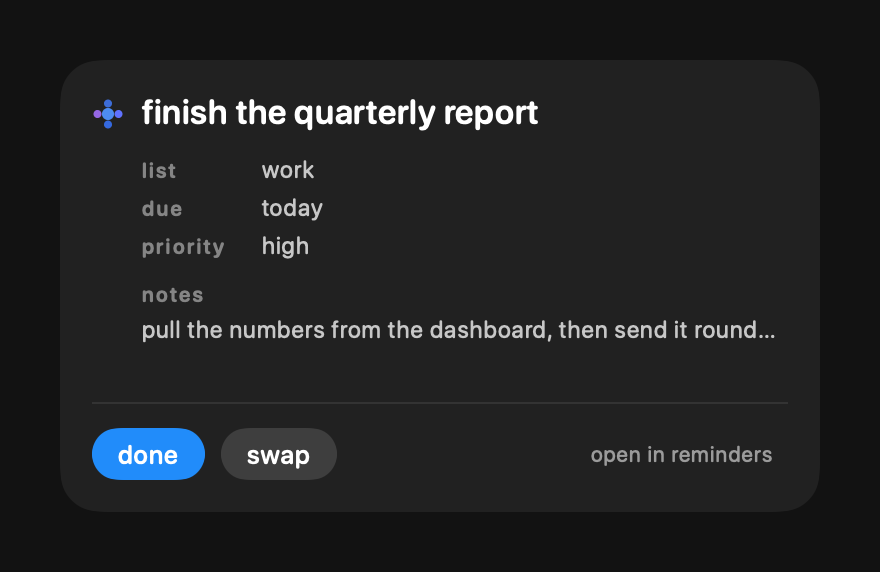
your reminders. right here.
the lists, dates, notes, and priorities you already use. finish a task in dwell and it’s completed in Apple Reminders, too.
hold shift to turn done into term: complete and remove a reminder, including its repeating series.
keep the thought. keep your focus.
capture it. come back to it.
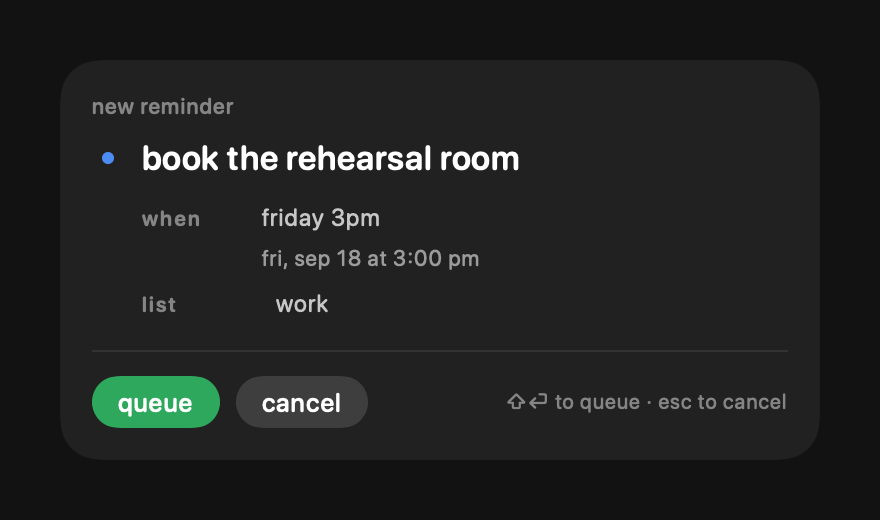
type a task and a date like “friday 3pm”. hold shift to queue it for later while your current focus stays put.
a few words go a long way
find your next thing.
search a title with /. filter by list, day, or priority with f. everyday words make a long list feel small.
try a phrase in the demo.
a place for every kind of focus
different desktop. different headspace.
press a to anchor a reminder to a desktop. switch Spaces and the right task is there waiting. everywhere else, your roaming focus comes with you.
desktop 1 · work
finish the quarterly report a little work.
desktop 2 · home
water the plants a little life.
finish the quarterly report
when you want a little more space
just you. and one thing.
your task, its flower, and the time. on every display. any key or movement brings you right back.
⌘⌥⇧`
the nicest part of getting there
small finish. little celebration.
your flower becomes a burst of colour. a few kind words take its place. then, when you’re ready, what’s next?
sixty ways to say: you did that.
a guest on your screen
always there. never in the way.
01
quiet by design.
no dock icon. no dashboard to tend. just a small, native surface that lives alongside what you’re doing.
02
space when you need it.
right-click the pill to peek behind it. clicks pass through while it’s faded. move away and it returns.
03
nothing is okay, too.
choose nothing and take your time. an empty pill is room to think. the list can wait.
built with SwiftUI & AppKitrebindable shortcutslaunch at loginquiet automatic updatesrespects Reduce Motion
a few little answers
wondering about something?
what do i need to run dwell?
a Mac running macOS 26 (Tahoe) or later. download dwell, unzip it, drag it into Applications, and open it. allow Reminders access when macOS asks.
does my Mac need a notch?
no. on a MacBook with a notch, dwell hangs just below it. on a display without one, the pill sits below the menu bar.
do i need to move my reminders?
no importing, and no new account. dwell works with the reminders already on your Mac. if you use iCloud Reminders, Apple syncs your changes to your other devices.
can i use it with just the keyboard?
yes. ⌘⌥` opens dwell from anywhere. use the arrow keys or j / k to move, / to search, f to filter, r to create, and a to anchor. both global shortcuts can be changed in settings.
where do my tasks live?
in Apple Reminders. dwell reads and updates them through macOS. your selected reminder, desktop anchors, and settings are kept locally on your Mac. there’s no dwell account or separate task service.
does it show everything in Reminders?
dwell shows titles, notes, dates, priorities, lists, and repeat information. macOS doesn’t expose subtasks, tags, flags, attachments, smart lists, attached URLs, or manual ordering to dwell. open Reminders for those details.
how do updates work?
the signed app checks for updates daily, verifies the download, and installs it with a quiet relaunch. you can check now or switch automatic checks off in settings.
 same reminder. same flower. every time.